Bots and phishing attempts are increasing. Deskworks now limits login attempts to 5 failed tries. After that, the account is locked, and the user is directed use the FORGOT PASSWORD feature:
- After 5 failed attempts, the user will see the following screen:
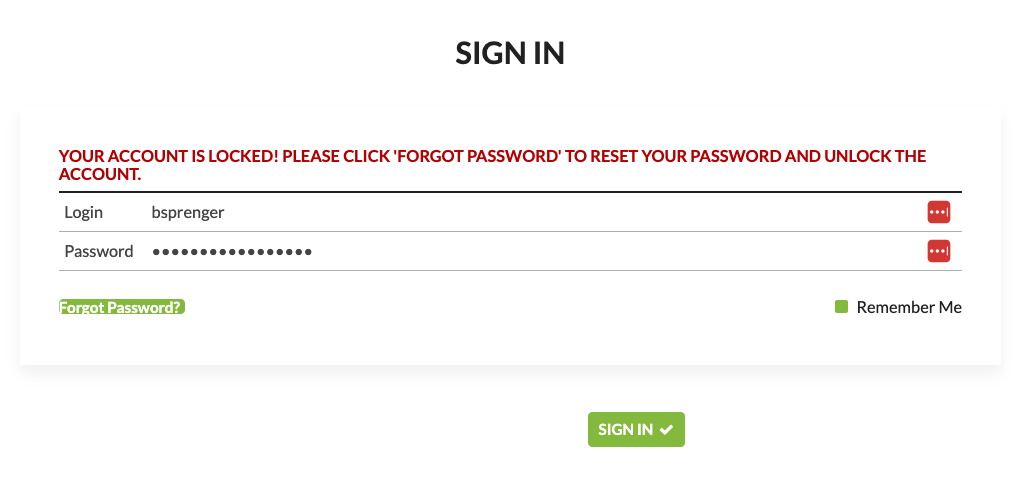
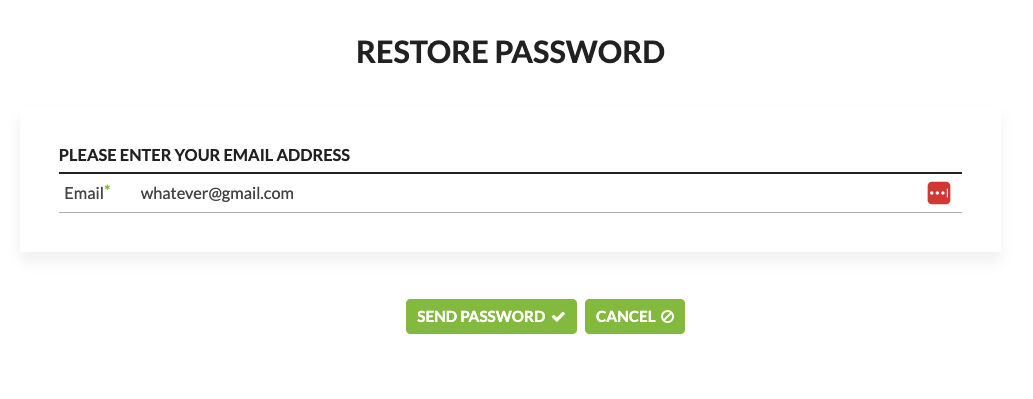
- After clicking Forgot Password? the RESTORE PASSWORD screen displays. Enter your email address, click SEND PASSWORD, and you will receive a temporary password by email.
- If the email address is incorrect, no message will be sent.
- If the email address is for an inactive account, no message will be sent.
- Staff can reset the password for any user, giving them the new password.
- Enter the temporary password sent by email into the Deskworks login screen.
Was this article helpful?
That’s Great!
Thank you for your feedback
Sorry! We couldn't be helpful
Thank you for your feedback
Feedback sent
We appreciate your effort and will try to fix the article